

01 JUL 2026
How to Automate Your E-commerce Orders and Stock Using Accredo ERP
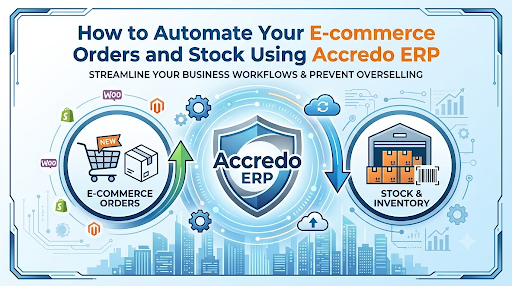
Most New Zealand businesses using Accredo ERP still process online orders the same way they did ten years ago: a customer buys from a website, an email arrives, someone manually types the order into Accredo, and stock levels get updated by hand the following day. It works. It's just slow, error-prone, and it costs money every time a customer tries to buy something that's out of stock but hasn't been marked as such.
An integrated Accredo e-commerce platform changes that. Instead of manual steps, orders arrive directly in Accredo the moment they're placed. Stock syncs back to your website in real time. Pricing updates without delay. Your team moves from data entry to strategy.
This guide shows how Accredo e-commerce integration works in practice, what it solves, and how to build it right the first time.
The Hidden Cost of Manual Order Entry in Accredo
When orders arrive via email or manual form submission, the friction is invisible at first. One person processes orders, another checks stock, a third reconciles the figures at month's end. The process feels manageable until sales grow.
Here's what typically goes wrong:
Overselling happens. A customer places an order for a product that looks in-stock on your website, but has already been allocated to another order that hasn't been entered into Accredo yet. You cancel the order and lose the sale. Or you backorder it, disappoint the customer, and damage trust.
Data entry errors compound. A quantity gets transposed. A product code is misread. These errors cascade incorrect stock figures that lead to poor purchasing decisions, which create stockouts, which lead to more lost sales.
Updates lag. Your website shows stock from yesterday. Accredo shows stock from this morning. A customer sees a product in stock online, adds it to the cart, then gets an error at checkout because it's actually sold out. Friction kills conversions.
Time bleeds into operational cost. Processing fifty orders manually might take three hours. Processing five hundred takes thirty hours. You either hire someone new or accept slower fulfillment. An ERP e-commerce platform eliminates that labour entirely.
Pricing becomes static. Bulk discounts, seasonal promotions, and customer-specific pricing don't update automatically. You miss upsell opportunities or manually apply discounts in Accredo after the fact.
For distributors and e-commerce retailers running on Accredo, real-time integration isn't optional anymore. It's the difference between scaling and hitting a ceiling.
What an Accredo e-commerce Platform Actually Syncs
Before you start, it helps to understand what integration actually means. An ERP e-commerce platform isn't magic. It's a bridge between your website and Accredo that moves data in both directions, constantly.
Order data flows into Accredo. When a customer submits an order on your website (whether it's Shopify, WooCommerce, or a custom platform), the integration captures the customer's details, line items, quantities, and delivery address. This data enters Accredo automatically, formatted exactly as if your team had typed it in. No translation step. No delay.
Stock levels flow back out. Once orders are in Accredo, stock figures update in real time. Your website inventory syncs with Accredo's master stock levels multiple times per day or instantly, depending on the platform. A customer checking your site always sees accurate stock.
Pricing updates push automatically. If you change a bulk discount, set a promotion, or adjust a customer's contract price in Accredo, an integrated e-commerce platform reflects that change across all sales channels within minutes.
Shipping and fulfilment data closes the loop. As orders are picked, packed, and dispatched in Accredo, that status feeds back to your website and customer. Automation extends beyond the sale.
This two-way flow means your website and Accredo stop being separate systems. They become one.
The Six Things That Must Work for Orders to Flow Seamlessly
Not all Accredo e-commerce integrations are equal. Some platforms sync orders but forget stock. Others update inventory but don't handle customer-specific pricing. Here are the six critical pieces:
1. Real-time inventory synchronisation. Stock must update constantly, not once a day. If you run on Accredo, daily batch syncs are already too slow. Real-time sync means every order, every pick, every shipment is reflected instantly across your sales channels.
2. Multi-channel support. Most businesses don't sell on one website only. You might run Shopify, a WooCommerce store, and a B2B portal. A serious Accredo e-commerce platform syncs all channels to the same master stock in Accredo. One source of truth.
3. Customer and pricing rules. Not all customers pay the same price. Bulk discounts, contract rates, and customer groups need to flow from Accredo to your website automatically. If this doesn't work, your team is manually overriding prices after the fact, which defeats automation.
4. Order approval workflows. Some orders need review before they go live in Accredo (high-value orders, first-time customers, or orders outside normal parameters). The integration must support this. Orders arrive in a queue, get checked, and then approved or held.
5. Payment reconciliation. Orders can't sit in limbo. The integration needs to reconcile payment status: has the customer paid, is it pending, has it failed? Accredo needs this information to trigger the right fulfillment action.
6. Error handling and retry logic. Networks fail, systems go down, and data occasionally doesn't match. A robust integration doesn't just crash. It logs the error, retries automatically, and alerts your team if intervention is needed. You're not babysitting the system constantly.
If any of these pieces break, the whole flow stalls.
Building a Multi-Channel Strategy: Shopify, WooCommerce, and Beyond
Most businesses need to sell in multiple places. A Shopify Accredo integration handles your main store. A WooCommerce Accredo integration might serve B2B customers. Maybe you've got a custom catalogue portal or a marketplace presence. All of these channels need to talk to the same Accredo instance.
This is where multi-website e-commerce ERP platforms shine. Instead of setting up separate integrations for each channel each with its own rules, its own stock sync, its own order entry point a unified platform syncs all channels to one Accredo instance.
Here's what that looks like in practice:
You list a product on Shopify, WooCommerce, and your custom portal. The product lives in Accredo. One price, one stock figure, one source of truth. A customer buys on Shopify; the order lands in Accredo. Another customer buys on WooCommerce; same process. No double-entry, no channel confusion, no accidental overselling across channels.
Promotions work the same way. You create a discount in Accredo, and it's live across Shopify, WooCommerce, and every other connected channel within minutes.
The cost of managing multiple disconnected integrations, separate tooling, separate support, separate data reconciliation disappears. You pay for one integration. You manage one system.
Implementation: Timeline, What to Expect, and How to Avoid Common Pitfalls
Rolling out an Accredo e-commerce platform is not an overnight process, but it shouldn't take months either. Here's what a realistic timeline looks like:
Weeks 1–2: Discovery and planning. Your team meets with the integration partner. You map your current order workflow, identify which channels need to connect, confirm which customer pricing rules are in Accredo, and decide on order approval requirements. This is also when you test the integration in a sandbox environment.
Weeks 3–4: Configuration. Field mappings are set up (how data from your website translates into Accredo fields), error handling rules are defined, and testing begins in earnest. You'll create test orders, verify they land in Accredo correctly, and check that stock syncs back to your website.
Week 5: Pilot phase. Go live on a smaller channel first, maybe your WooCommerce store, not your main Shopify site. Process real orders, catch edge cases, and build confidence in the system before flipping the switch on high-volume channels.
Week 6 onwards: Full rollout and optimisation. Once the pilot runs smoothly, connect your remaining channels. Monitor for the first few weeks, adjust rules as needed, and train your team on the new workflow.
Common pitfalls to avoid:
Don't assume your data is clean. Before go-live, audit your Accredo customer records, stock levels, and pricing tables. Garbage in, garbage out. If your Accredo data is messy, the integration will amplify that mess across your website.
Don't skip the pilot. Testing with real orders on a low-traffic channel is non-negotiable. Pilot phases reveal problems that dry runs miss.
Don't ignore customer support during transition. Your team will have questions. Your customers might experience hiccups. Have a support plan in place before you flip the switch. A day of lost orders costs more than a week of careful planning.
Don't treat integration as a one-time project. Once live, the system needs monitoring. Stock sync speeds should be tracked. Order processing errors should be reviewed. Pricing changes should be tested before deployment. Treat it like the mission-critical business system it is.
Frequently Asked Questions
Can I integrate Accredo with Shopify without hiring a developer?
Yes. Platforms like IntegraSell Merchant handle Shopify Accredo integration without custom code. The setup is configuration-based, not development-based. Your team follows a guided setup process and connects the two systems without touching code. For most businesses, this is sufficient.
What happens to the stock when the integration goes down?
A well-designed integration doesn't leave your website and Accredo out of sync. If the connection fails, orders queue up locally, and stock doesn't update on your website but it's also not oversold. Once the connection is restored, queued orders are processed, and stock syncs back to reality. This is why error handling and retry logic matter.
How long does it actually take to set up an Accredo e-commerce platform?
Typically four to six weeks from discovery to full rollout, depending on complexity. If you have clean data, clear business rules, and minimal channels, you might launch sooner. If you've got legacy data, complex pricing, and five sales channels, six to eight weeks is more realistic. Rushing this step creates debt later.
Do I still need to manage customer groups and pricing manually?
No. Once the Accredo e-commerce platform is live, customer pricing flows automatically from Accredo to your website. Changes in Accredo (new bulk discount, contract rate adjustment, customer group reassignment) sync to your sales channels within minutes. Manual override becomes rare.
What's the difference between integraSell Merchant and other Accredo e-commerce solutions?
IntegraSell Merchant is purpose-built for Accredo integration. It handles real-time stock sync, multi-channel support (Shopify, WooCommerce, and custom platforms), and Accredo-native pricing and customer rules. It's built and supported by Native Software, which has processed over 1.6 million orders for NZ businesses since 2005. That track record matters when your order flow is on the line.
Ready to Stop Manually Processing Orders?
Manual order entry is a cost, not a necessity. Businesses that automate their Accredo order flow free up staff, eliminate data entry errors, and scale without hiring. Real-time stock sync and integrated pricing mean your website tells the truth: in-stock means in-stock, pricing is current, and customers buy without friction.
The path to automation is clearer than you think. A consultation with Native Software will clarify your specific situation, map your channels, and show you what a four- to six-week rollout actually looks like for your business. You've been running Accredo for good reason. Now it's time to connect it to your sales engine.
Get in touch with Native Software to explore how integraSell Merchant can automate your order flow.